AI Solver Extension for Homework

Keep the question in view. Work through the answer.

Use the AI solver extension to bring a question from your browser into a focused side panel. Capture the problem, review the steps and ask about the part that still feels unclear.

Add to Chrome

Start with the available shared trial, then continue with your existing account.

Desktop installation. Studying on another device? Open the web solver

Your study page

Your question

Why this step?

Capture the part you want explained.

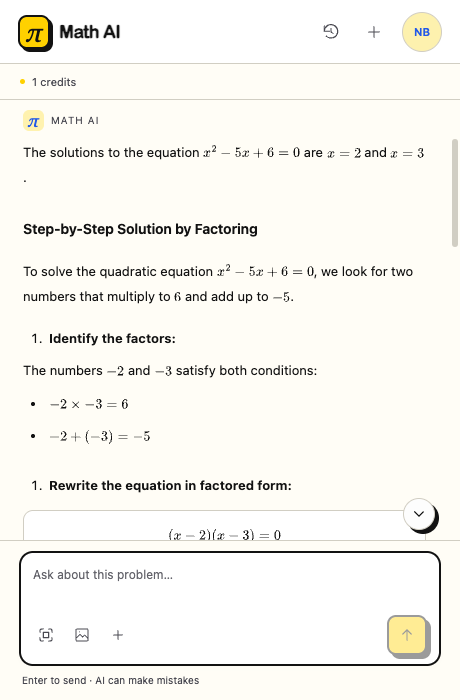
Extension side panel showing a step-by-step explanation and a follow-up input.
Capture a question, then continue the conversation beside the page.

What the AI solver extension helps you do

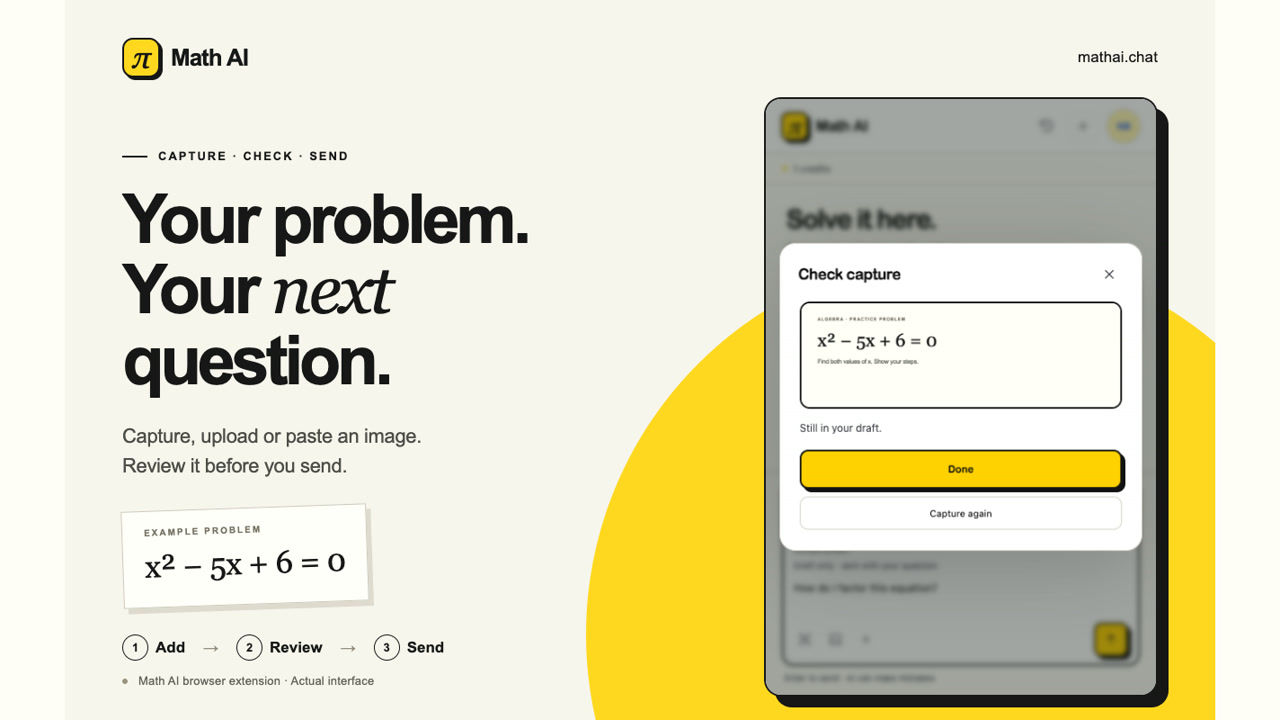
A captured question being reviewed in the extension before sending

Bring the whole question into the conversation

A short excerpt can leave out an important instruction. With the AI solver extension, capture the question and its labels together, then add what you need explained. Review the image in your draft before sending so the answer starts from the right information.


Extension conversation list shared with your website account

Turn a first answer into a useful study conversation

An answer is more useful when you understand the reasoning behind each step. Ask the AI solver extension why a step follows, what an instruction means or how to check the explanation. Signed-in conversations stay in your account history for later review.

How to use the AI solver extension

Add to Chrome

Install and open the extension

Install the AI solver extension from its official listing. Open it from your browser toolbar while you keep the question page in view.

Capture a clear question

Capture the current tab, select a question image or paste a screenshot. Keep the full problem visible and check the draft before you send.

Read, ask and check

Send your question to the AI solver extension. Read the explanation, ask a focused follow-up and check the result against the original problem.

Make the AI solver extension part of your study routine

Use the AI solver extension for a clearer working process: preserve the question, focus your next question and return to explanations worth reviewing.

Keep important details together

Keep the question, instructions and image labels together instead of recreating the problem from memory in a separate text box before you can ask.

Keep your place on the page

Read the exercise and its explanation beside each other. The AI solver extension keeps your original webpage available while you work through the steps.

Extension side panel displaying an explanation and a follow-up question field

Ask about one missing step

Replace a vague request for another answer with a precise question about the reasoning, an assumption or the detail you cannot yet follow.

Revisit the reasoning later

Use signed-in history to return to a study conversation. The AI solver extension shares your existing account rather than creating another subscription.

AI solver extension questions, answered

Try the AI solver extension on your next question

Keep your question in view and use the AI solver extension to read an explanation, ask a focused follow-up and decide what to check next.

Add to Chrome